

Configure Column Properties
Columns are added inside a row, and are used to place controls inside a row.
- When you add a row, one column is added by default.
- You can add more columns by dragging the Column layout from the Layouts panel and dropping it inside the row on the design canvas.
- When a column is added, the properties panel opens on the right side of the screen.
- You can configure the column properties from this panel.
- Columns are used to control how controls are arranged inside a row.
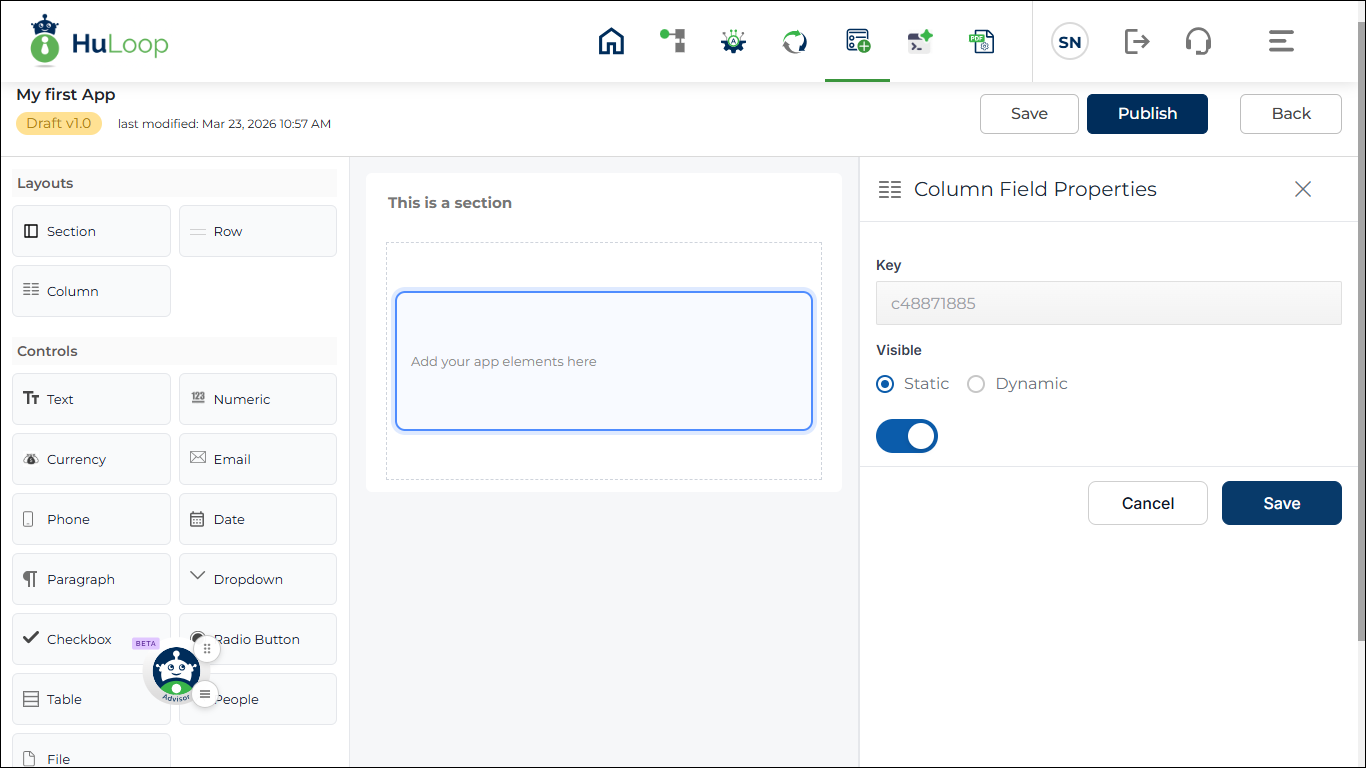
Column Properties
Key: auto- generated, unique key
Visibility: Options:
- Static
- Dynamic
Dynamic allows rule configuration.
Click +Add New Rule to configure rule.
Options:
- New Rule
- Existing Rule
- Copy From Existing Rule
Rule configuration is explained later.
Last updated: May 11, 2026