


Define API Proxy Settings: REQ_PROXY
The REQ_PROXY action allows you to define proxy settings for your API calls. This step is optional and should be used only if your environment requires a proxy.
Example: Suppose your company requires all outbound API traffic to pass through a proxy server. You can add a REQ_PROXY step after starting the API request to ensure compliance with network security rules.
Proxy details should be entered in the following format:
Host|Port|Username|Password
Steps to Configure:
- Add a new step in your case anywhere after the REQ_START action and before REQ_END.
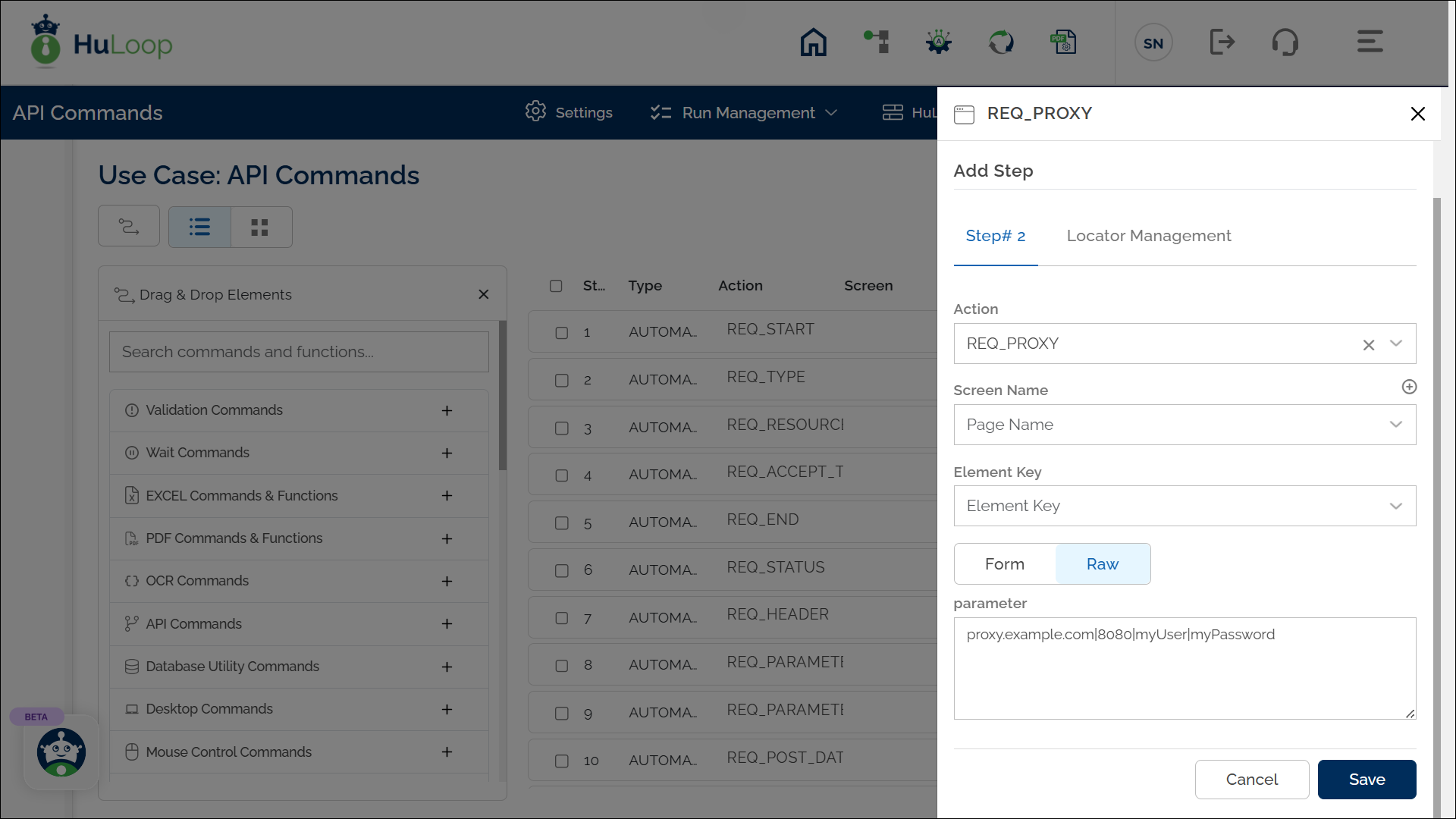
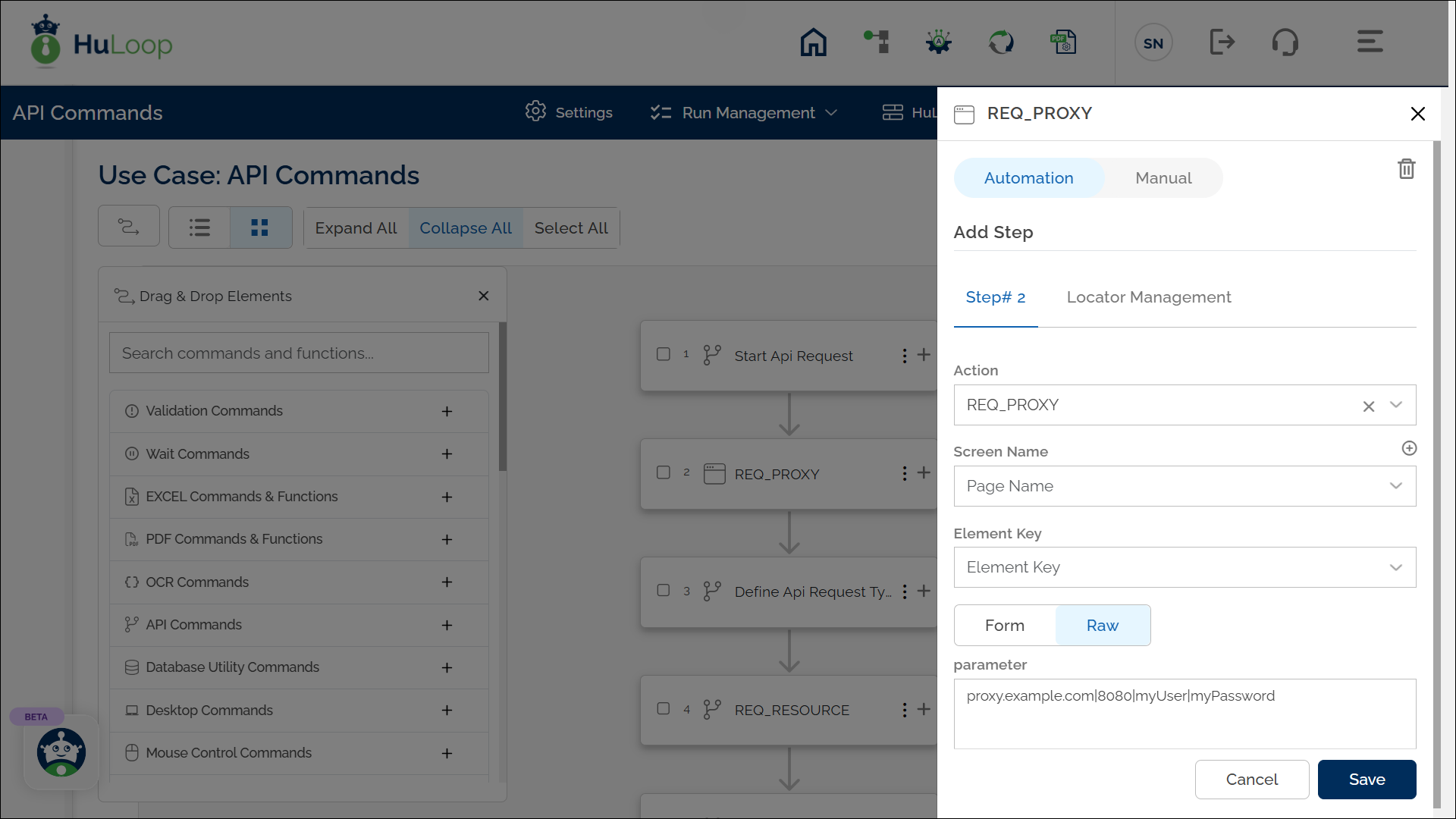
- From the Action drop-down, select Define API Proxy Settings (REQ_PROXY).
- Leave the Screen Name and Element Key fields blank.
- In the Parameters section, enter the proxy details in this format:
Host|Port|Username|Password
Example: proxy.example.com|8080|myUser|myPassword
- Click Save.
Expected Outcome on Execution:
- If REQ_PROXY is configured, all subsequent REST API calls in that request will use the defined proxy.
- If no REQ_PROXY step is configured, REST API calls will execute directly using normal network settings.
