



HuGO AI Agent
The HuGO AI Agent helps you create automations by using natural language prompts. You can describe the task you want to automate, ask questions, or provide supporting documents to help generate automation steps and guidance.
On the Use Case page, the HuGO AI Agent panel appears on the left as shown.
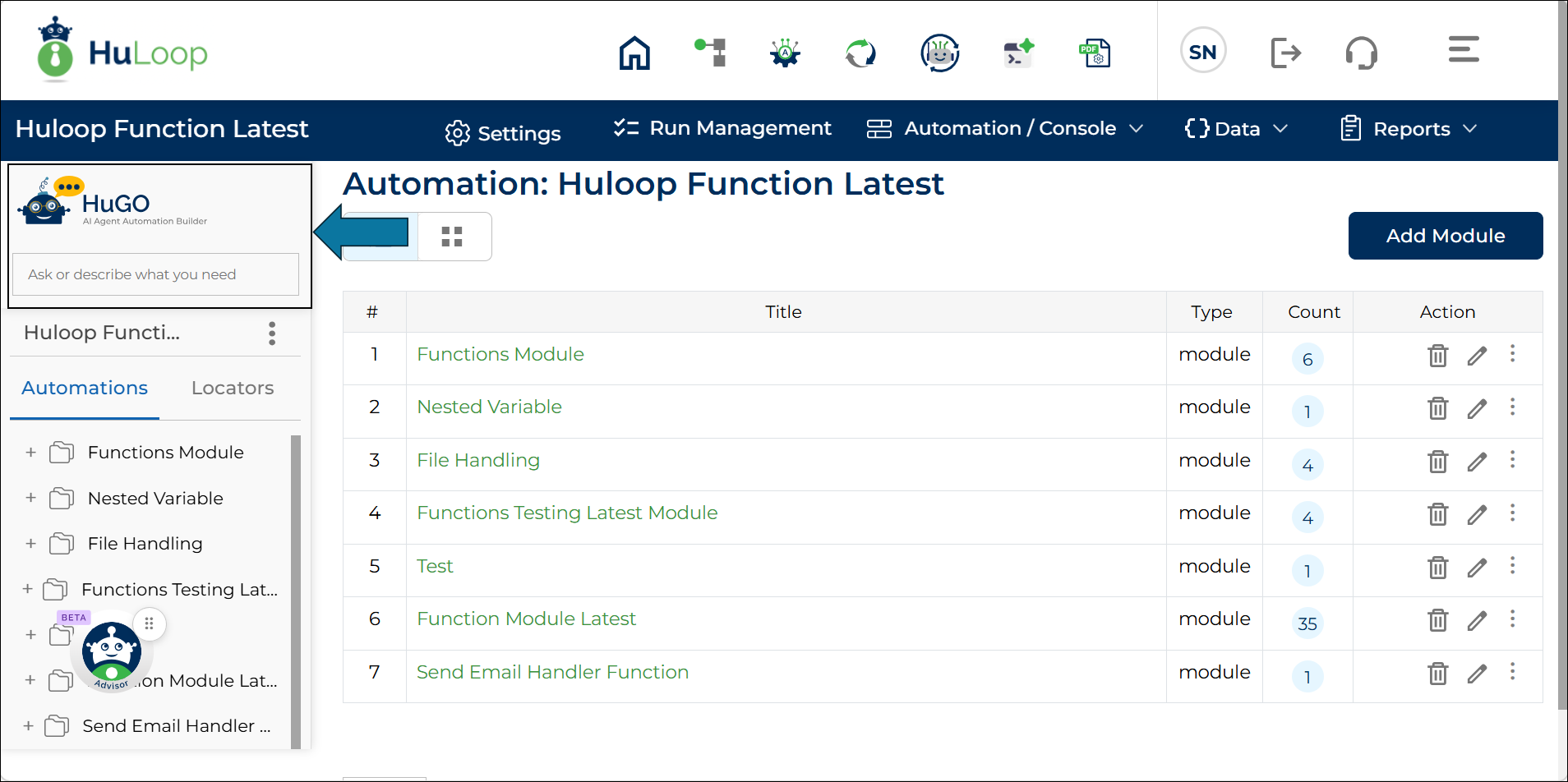
To use the HuGO AI Agent:
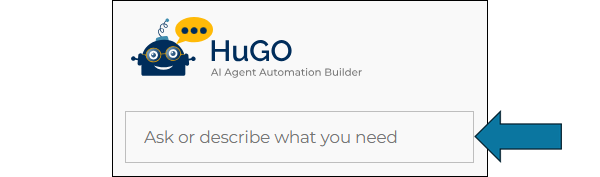
- Click inside the Ask or describe what you need box. You will see several suggested prompts displayed, including:
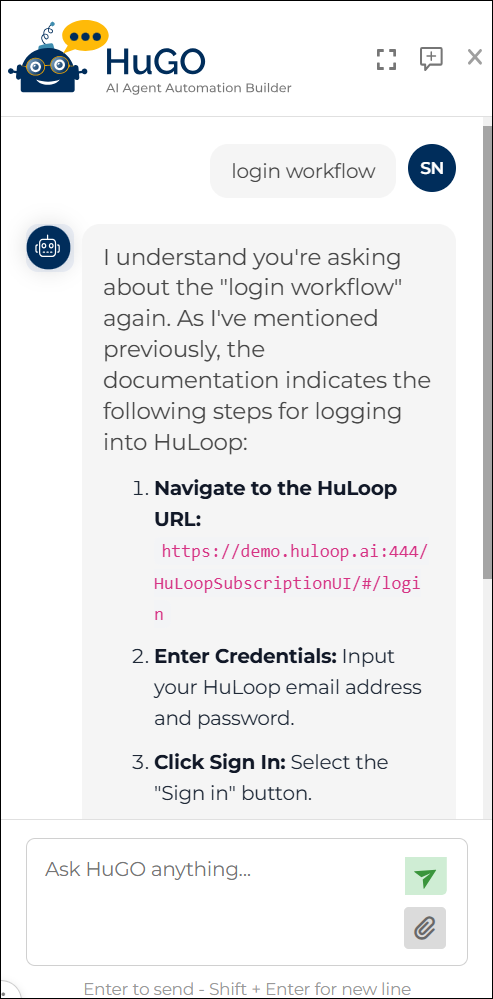
- Log in to Workflow
- Fill Missing Parameters
- Search Documentation
- Convert Documentation to Automation
- Find XPath for an Element
- Select one of the suggested prompts if it matches your requirement.
The selected prompt is populated with instructions for your query.
OR
Enter your own request in the Ask HuGO Anything box. Describe the automation task or question in plain language.
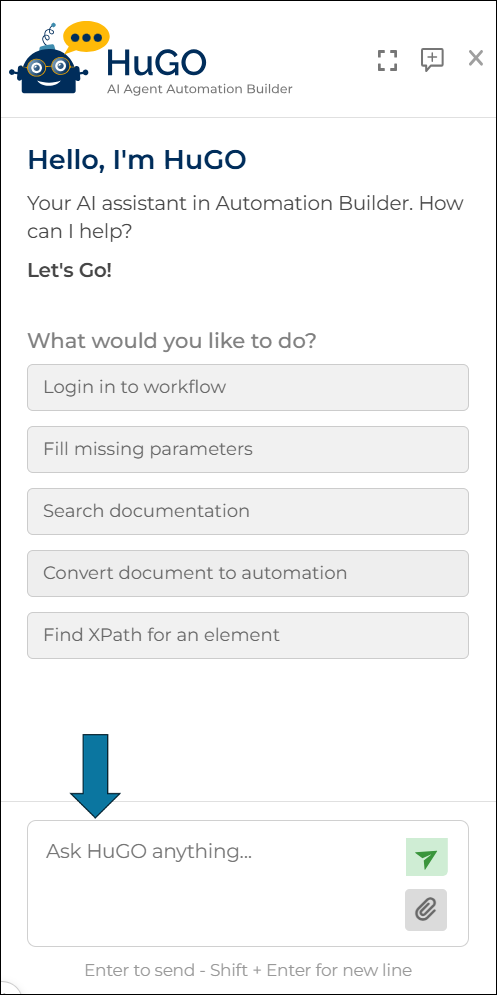
- If additional context is required, click the Attachment
 icon to upload one or more supporting files.
 - Press Enter or click the Send icon.
 icon to upload one or more supporting files.
 icon.
icon.HuGO AI processes your request and provides the appropriate response or automation guidance.
After your prompt is populated, you can use the Drag & Drop functionality to easily navigate the automation builder.
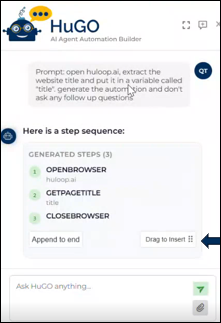
- Click Drag to Insert.
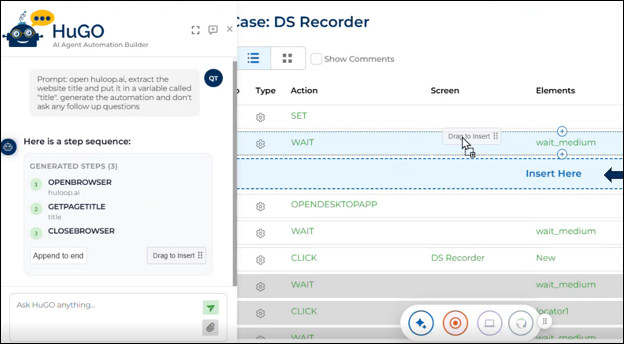
- Hold to Drag the generated steps to where you want them on the automation builder. The area you chose will highlight in blue and say Insert Here.
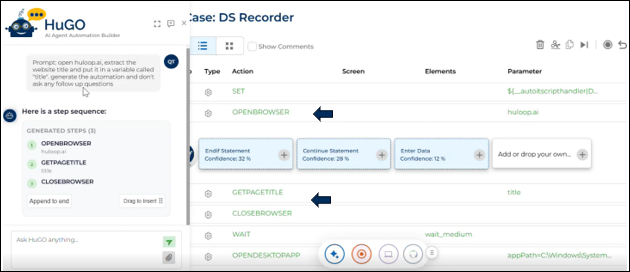
- Let go to Drop the generated steps in the area you chose.
Additional options:
You can also use the following controls while working with HuGO AI:
- Use icon to clear the current conversation and start a new one.
- Use icon to expand the HuGO AI Agent panel to provide a larger working area.
- Use icon to close the HuGO AI Agent panel.
 icon to clear the current conversation and start a new one.
 icon to expand the HuGO AI Agent panel to provide a larger working area.
 icon to close the HuGO AI Agent panel.
Attach supporting documents when your request requires additional context, such as existing documentation or process details.
Last updated: Sep 14, 2026