
Generating a Standard Operating Procedure (SOP)
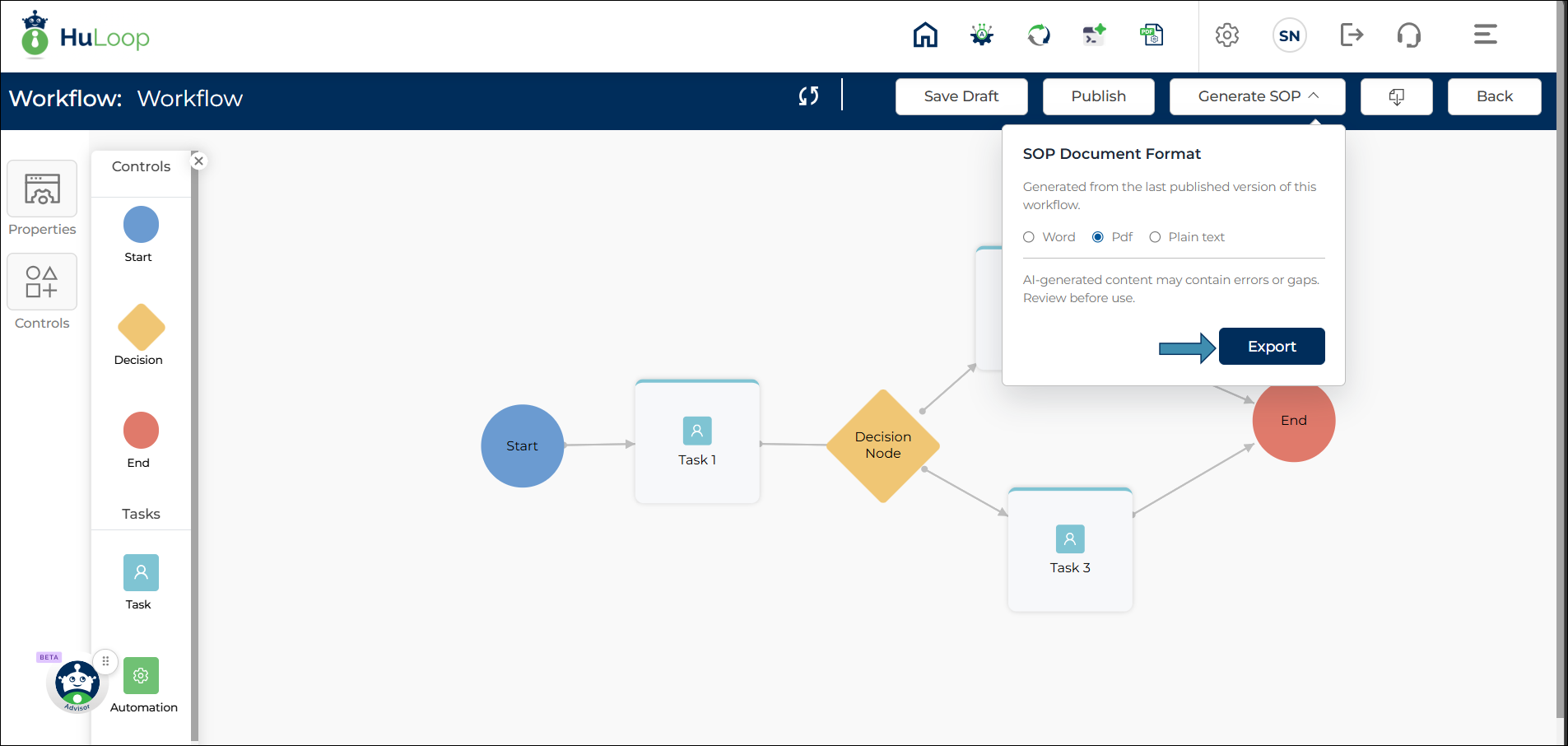
After a workflow has been published, you can generate a Standard Operating Procedure (SOP) document directly from the workflow.
Supported formats include:
- Microsoft Word (.docx)
- PDF (.pdf)
- Text (.txt)
To generate an SOP document:
- Open the published workflow.
- Click Generate SOP.
- Select the desired document format.
- Click Export.
- Save the generated document to your preferred location.
The generated SOP provides a structured representation of the workflow.
Note: The Generate SOP option is available only for published workflows.