



Workflow Versioning
Each time you publish a workflow, a new version (instance) is created. This ensures the current version remains available for execution, and any changes do not affect workflows that are already running.
Here’s how versioning is reflected:
- On the Workflows page, you’ll see:
- The number of running instances.
- The last updated date and time under the “Updated Date” column.
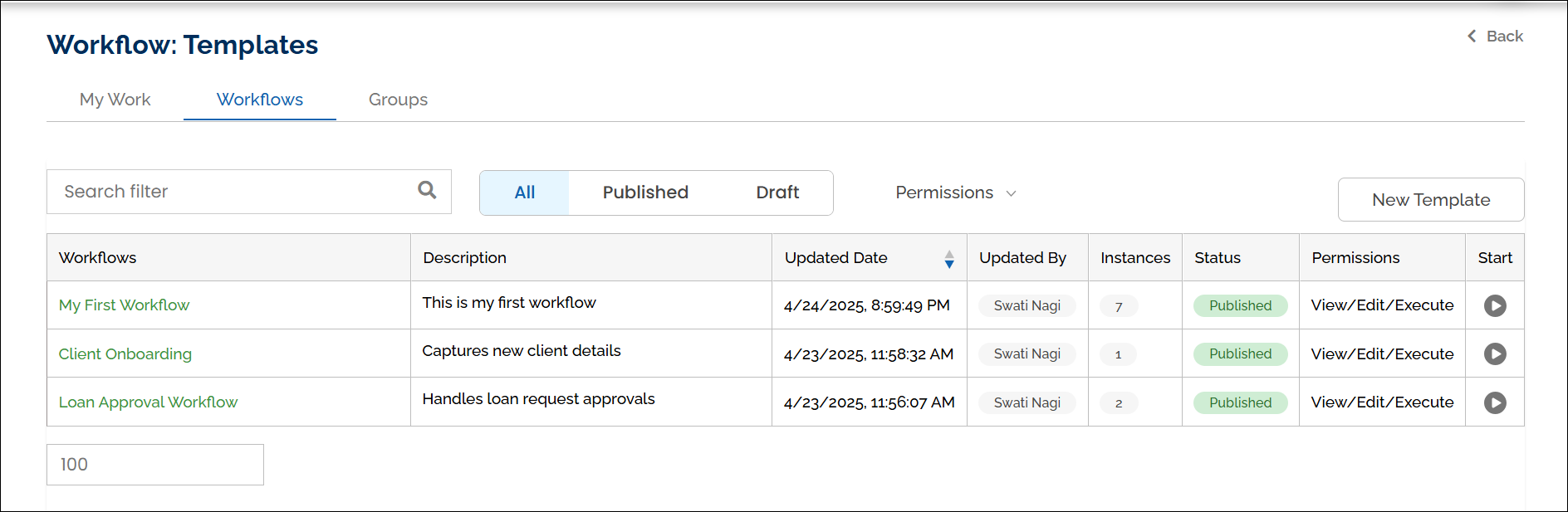
You can sort the Updated Date column on the Workflows page in ascending or descending order using the arrow icons in the column header.
Starting a New Workflow Instance Using the Same Start Variable:
When a workflow instance is started, HuLoop appends either:
- The user-defined Unique Identifier value, or
- An automatically generated timestamp-based identifier
to the workflow instance name to help distinguish executions.
For example:
- Loan Approval – EMP1001
- Loan Approval – 2026-03-05T14:30
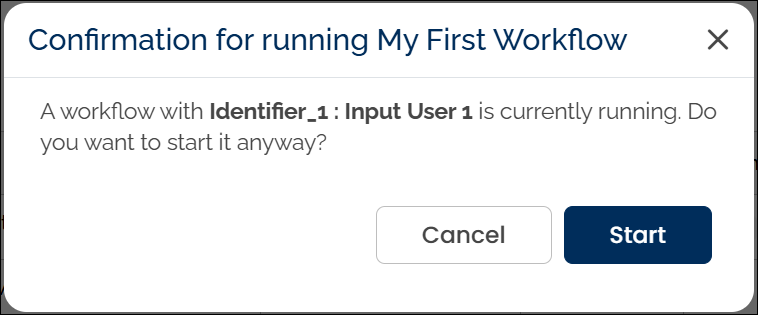
If you run a published workflow multiple times using the same user-defined Unique Identifier value, a confirmation message appears asking whether you want to continue.
You can choose:
- Start: to create a new instance using the same Unique Identifier value
- Cancel: to go back and modify the Unique Identifier value
If you proceed, a timestamp is appended to the workflow name on the My Work page to help distinguish it from previous instances.
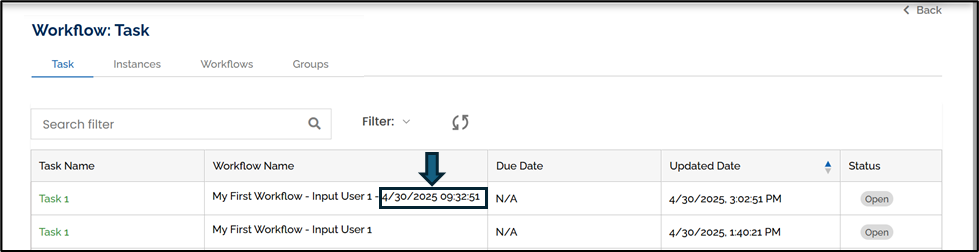
The Unique Identifier captured in the Start Form is appended to the workflow instance name, making it easier to track each execution.
Last updated: June 10, 2026