
Workflow Permissions and User Roles
Workflow permissions are based on user roles. Each workflow has a Creator, an Owner, and may also be managed by an Admin. These roles control who can view, edit, and run a workflow.
- Creator: The user who creates the workflow. This role is assigned automatically. A Creator can:
- Create, edit, and publish workflows
- Assign or change the workflow Owner
- Configure workflow properties and define workflow structure
- Execute (run) the workflow
- Owner: The user responsible for managing the workflow. By default, the Creator is also the Owner, but this can be changed. An owner can:
- Edit the workflow they own
- Assign or change the workflow Owner
- Save and publish updates
- Execute (run) the workflow
- Admin: A user with full access to manage all workflows in the system. An admin can:
- Assign or change the workflow Owner
- Modify and publish workflows
- Manage ownership and access
- Execute (run) the workflow
Note: Workflow templates are visible only to users with the required workflow permissions, such as Admins, Creators, Owners, or Start Group members. - View-Only Users: Users with read-only access to workflows.
- Can:
- View the workflow canvas in read-only mode
- Access metadata and status details
- Can:
Note: Start Group members can also access workflow templates in read-only mode when they are assigned as part of the workflow Start Group.- Cannot:
- Access the Workflow Properties panel
- Edit tasks or access task panels
- Use Save as Draft or Publish options
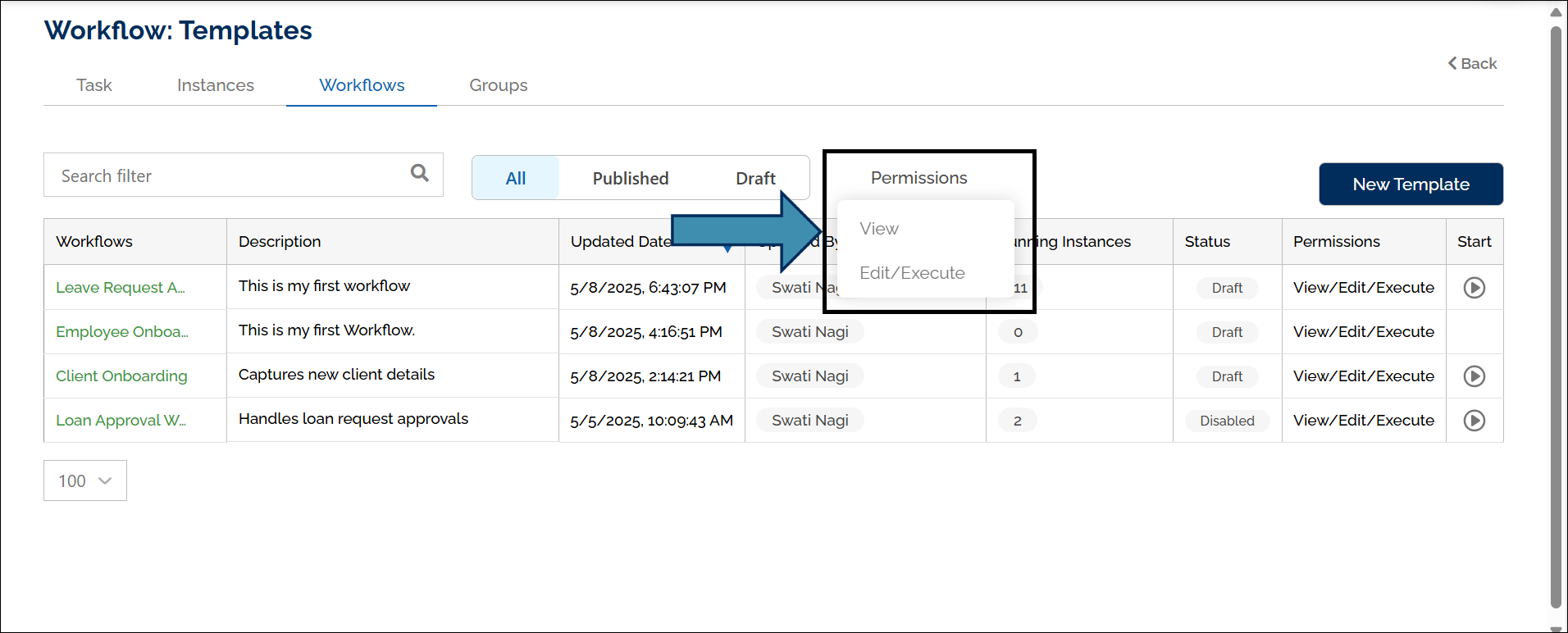
You can view assigned permissions on the Workflows page.