



Release Notes
Every feature, improvement, and fix, as it ships. Daily builds and weekly sprint releases, in one place.
HuLoop Release 57 – Version 7.0.13
New Features & Enhancements
This release introduces AI-enhanced OCR capabilities along with improvements across data extraction, automation intelligence, and cross-platform reliability. From advanced AI-OCR processing and MICR extraction to smarter mobile healing, richer dashboard insights, and more flexible data mapping, these updates strengthen HuLoop’s ability to handle complex, real-world automation scenarios with greater accuracy, visibility, and ease.
Enhanced Data Understanding and Image-Based Automation
- Image-Based Data Extraction for Green Screen Applications: HuLoop now extends automation to Green Screen environments by allowing users to upload screen images into the new AI capabilities. The AI reads and validates data from these uploaded images, enabling extraction of key values and verification of required fields. This enhancement helps teams automate Green Screen systems by capturing data from images of the screens, providing clearer and more reliable data handling.
- MICR Data Extraction for Check Processing: HuLoop now offers an advanced capability that extracts key MICR details including routing numbers, account numbers, check numbers, and written amounts directly from check images. This enhancement supports a wide range of image formats and provides structured, ready-to-use output for financial automation scenarios. It enables teams to incorporate check data extraction into their automations with accuracy, consistency, and ease of use.
Automation Insights & Operational Visibility Enhancements
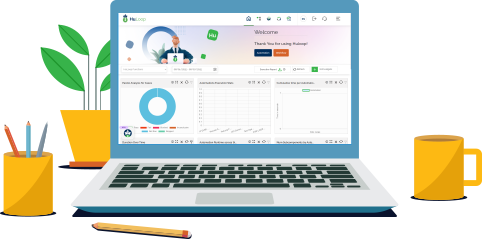
- ROI Analytics Widgets for the HuLoop Dashboard: HuLoop now includes new ROI analytics widgets that help teams visualize the value generated through automation. These widgets present key metrics such as cumulative savings, cost and productivity gains, and savings by automation, using the platform’s existing charting and filtering framework. Designed for consistency and accessibility, the widgets support shared filters, configurable display options, and clear visual states. This enhancement expands the dashboard’s analytical capabilities and provides organizations with an easy way to assess the impact of their automation initiatives.
- Variable Support Expanded in Runtime Comments: The system now supports resolving variables directly within the comment section of runtime variables. This enhancement ensures your automation documentation and runtime details reflect complete, context-aware information, making it easier to track and understand automation behavior during execution.
Platform Reliability Enhancements Across Web, Desktop, and Mobile
- Enhanced Desktop Driver Handling for Dynamic UI Interactions: The Desktop Driver now includes enhanced support for applications with dynamic or variable UI states, enabling automation steps to work smoothly even when elements load, shift, or appear conditionally. This update expands the driver’s capability to handle diverse desktop application behaviors, supporting reliable interaction across a wider range of scenarios.
- Intelligent AutoHeal for Mobile XPath Adjustments: HuLoop now extends its AI-powered AutoHeal capability to mobile automation. When a mobile UI change causes an XPath to fail during execution, the system analyzes the updated interface in real time and applies an AI-suggested replacement to keep the automation flow moving without interruption. These recovered locators are logged for review, ensuring accuracy, transparency, and smoother automation in evolving mobile environments.
Workflow Data Mapping Enhancement
- Enhanced Automation Variable Mapping for Workflow Execution: HuLoop now supports a more flexible variable mapping experience between workflows and automations. Automation variables defined at different levels within a Web Run Setting, including local, pre-condition, and suite-level variables, can now be mapped to workflow variables for smoother data exchange during execution. This enhancement provides a more consistent and predictable flow of information across workflow-driven automation, strengthening overall alignment between workflow results and automation behavior.
Quality & Reliability Improvements
This release focuses on strengthening overall platform stability and ensuring smoother, more predictable execution across environments. With improvements in data handling, workflow controls, automation logic, and driver and configuration management, you can expect fewer interruptions and a more consistent, dependable experience throughout your automation activities.
Data Handling & Extraction Stability
- Enhanced CSV Data Handling for Improved Automation Accuracy: You can now work more smoothly with CSV-based data, as cell values referenced through cell positions are handled with greater consistency across environments. This enhancement supports more dependable data access during your automation runs, helping you maintain accuracy and efficiency when working with CSV files.
- Enhanced Stability for Document Extraction Processes: This enhancement streamlines how document extraction runs are managed, supporting smooth and uninterrupted processing across repeated executions. The system now maintains a clean processing flow automatically, helping you continue your extraction steps with consistency and confidence, especially during high-volume or back-to-back runs.
Platform Performance & Navigation Experience
- Navigation Performance Enhancements for Faster Page Transitions: You’ll experience smoother, faster movement as you navigate across the platform. Page transitions, module switches, and automation loads feel more responsive thanks to backend performance improvements. These updates help you move through your work with less waiting and a more seamless, efficient flow.
Workflow & Execution Control Reliability
- Improved Control Experience for Pausing and Resuming Workflow Instances: You’ll now experience a more reliable and intuitive way to pause and resume your workflow instances. Visual indicators and status updates behave consistently across different types of workflows, giving you clearer control and smoother continuity during execution. This enhancement ensures that your workflow interactions remain predictable and easy to manage, even when switching between various instance types.
- Enhanced Stability for Suite Configuration Handling: This improvement strengthens how the platform manages suite configurations during console execution. You’ll experience smoother and more reliable runs, even when working with console setups created at different times. The update ensures your regression activities continue without unnecessary interruptions, giving you a more consistent and dependable experience across sessions.
Automation Logic & Execution Consistency
- Enhanced Logic Handling for Complex Loop Scenarios: You’ll experience more dependable behavior when working with automations that use layered loop conditions. This improvement strengthens how the platform interprets nested loops and branching logic, helping your automations run smoothly even in more complex scenarios. With clearer, more consistent execution flow, you can rely on your automations to follow the intended path without interruptions.
- Seamless Predictor Experience: Enhancements to the Predictor feature ensure AI-generated step suggestions load smoothly and consistently across supported environments. With these refinements, you can rely on a more stable and uninterrupted guidance experience as you build and refine your automation flows.
Environment & Runtime Configuration Improvements
- Improved Browser Driver Management for Smoother Automation Runs: You’ll benefit from more reliable automation runs across both CLI and GUI agents with improved handling of Microsoft Edge browser drivers. The platform now ensures the right driver is downloaded and used automatically, reducing setup effort and helping your tests run without interruption. This enhancement supports a more dependable experience across local and server environments, so you can focus on your automations without worrying about driver configuration.
- Streamlined Server Configuration for More Consistent CLI Execution: You’ll experience a more consistent and dependable setup when running automations through the CLI, thanks to an improvement that reduces the manual steps required after deployments. A new configuration script helps ensure the correct server settings are applied, supporting smoother post-deployment execution across environments. This enhancement lays the groundwork for a fully automated setup process in future releases, helping you maintain clean and reliable configurations with less effort.
Compatibility & Requirements
There are no environment changes, version dependencies, or browser limitations in this release. Existing configurations continue to be fully supported.
