



Generating a Workflow from an SOP or Workflow File
Workflow Builder allows you to generate a workflow from an existing Standard Operating Procedure (SOP) document or from a previously exported workflow zip file.
This capability helps accelerate workflow creation by automatically generating workflow components based on the uploaded content.
Supported Sources
You can generate a workflow using:
- A Standard Operating Procedure (SOP) document in Word, PDF, or text format.
- A workflow ZIP file that was exported from a published workflow.
To Generate a Workflow
- Navigate to the Workflow Templates page.
- Click the Generate icon.
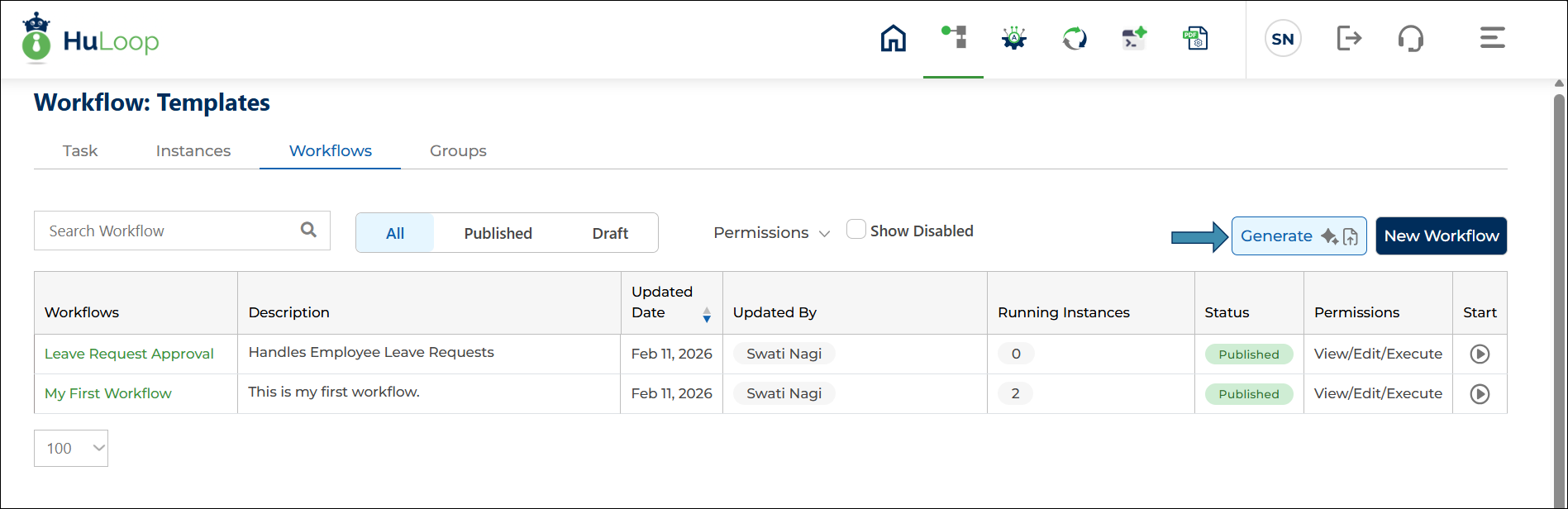
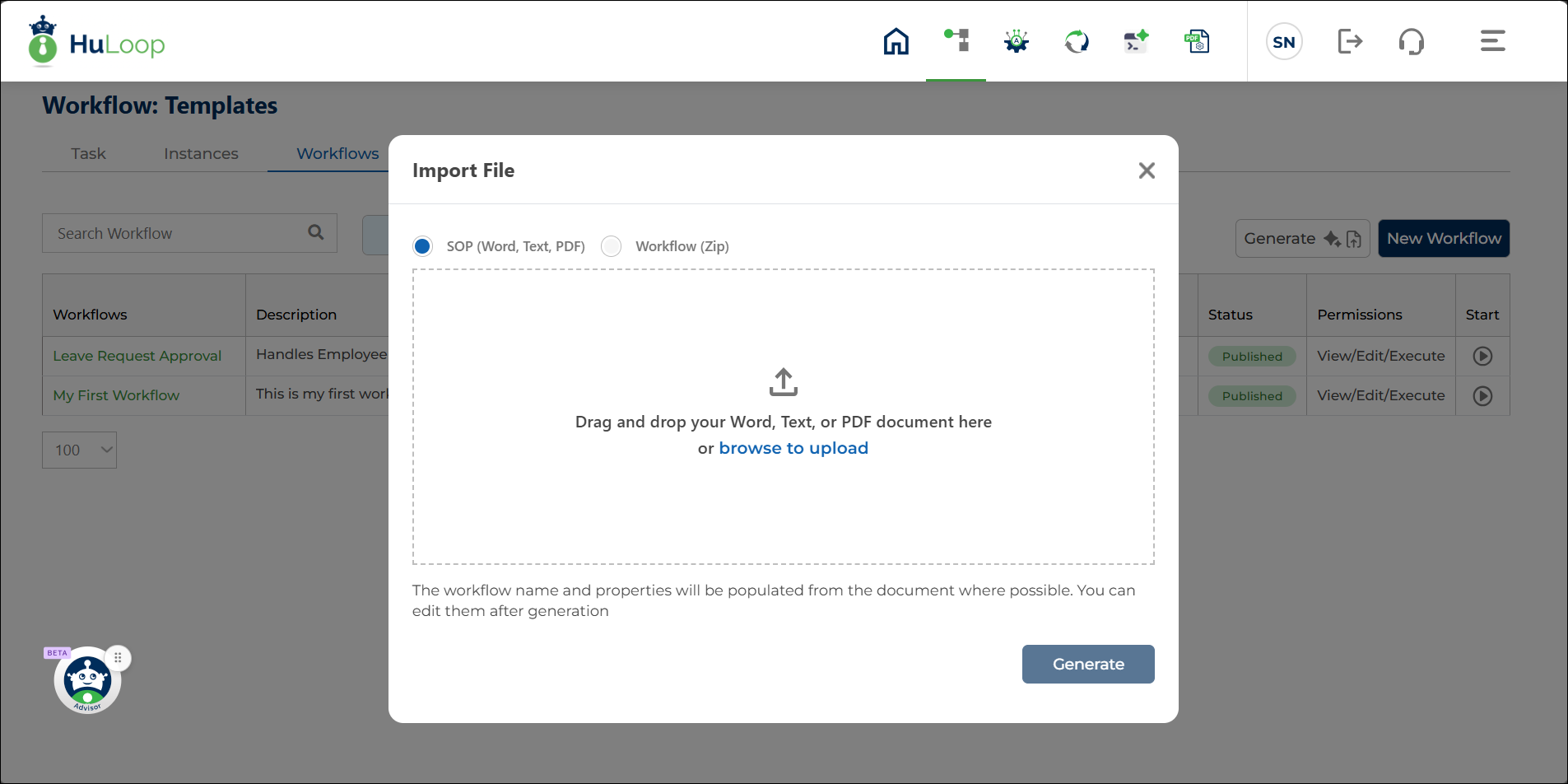
- Select one of the following options:
- SOP
- Workflow ZIP
- Upload the source file by:
- Dragging and dropping the file into the upload area, or
- Clicking Browse and selecting the file from your computer.
- Click Generate.
The system creates a new workflow based on the uploaded file.
Generated Workflow Information
When a workflow is generated, Workflow Builder automatically populates workflow information from the uploaded file where applicable.
This may include:
- Workflow name
- Workflow properties
- Workflow structure and components
You can review and modify the generated workflow after it is created.
Process Automation Placeholders
If the uploaded source contains process automation references, Workflow Builder creates placeholder entries within the generated workflow.
These placeholders indicate where process automation configuration is required.
After the workflow is generated, you can open the relevant workflow components and configure the required process automation settings as needed.
